
Getting started
Vey Studio is a desktop app for running Claude Code conversations against the folders already on your machine, and reading what they changed — chats, editor, diffs, commits and a terminal in one window.
Install
Every build is unsigned, so each operating system warns about it in its own way. The last step of each section is how to get past that.
macOS
macOS 12 (Monterey) or newer, Apple Silicon or Intel. Run this in Terminal:
curl -fsSL https://raw.githubusercontent.com/vsclaude/visual-studio-claude/main/install.sh | bashIt picks the build for your Mac and copies it into /Applications.
Why not download the .dmg?
A file downloaded in a browser is quarantined, and macOS then calls the app "damaged" — which only means it is unsigned. If you did download the .dmg from Releases, run this once after installing it:
xattr -dr com.apple.quarantine "/Applications/Vey Studio.app"Windows
x64. Download the .exe from Releases and run it. When SmartScreen stops it, choose More info → Run anyway.
Linux
x64. Download the AppImage from Releases, then:
chmod +x Vey-Studio-*.AppImage
./Vey-Studio-*.AppImage
It needs FUSE (sudo apt install libfuse2 on Debian and Ubuntu).
Claude Code
Chats run on your own claude — the Claude Code CLI. The app opens without it, but you need it to chat with your own Claude accounts. If you have no Claude account at all, you can chat on credits instead.
Your first chat
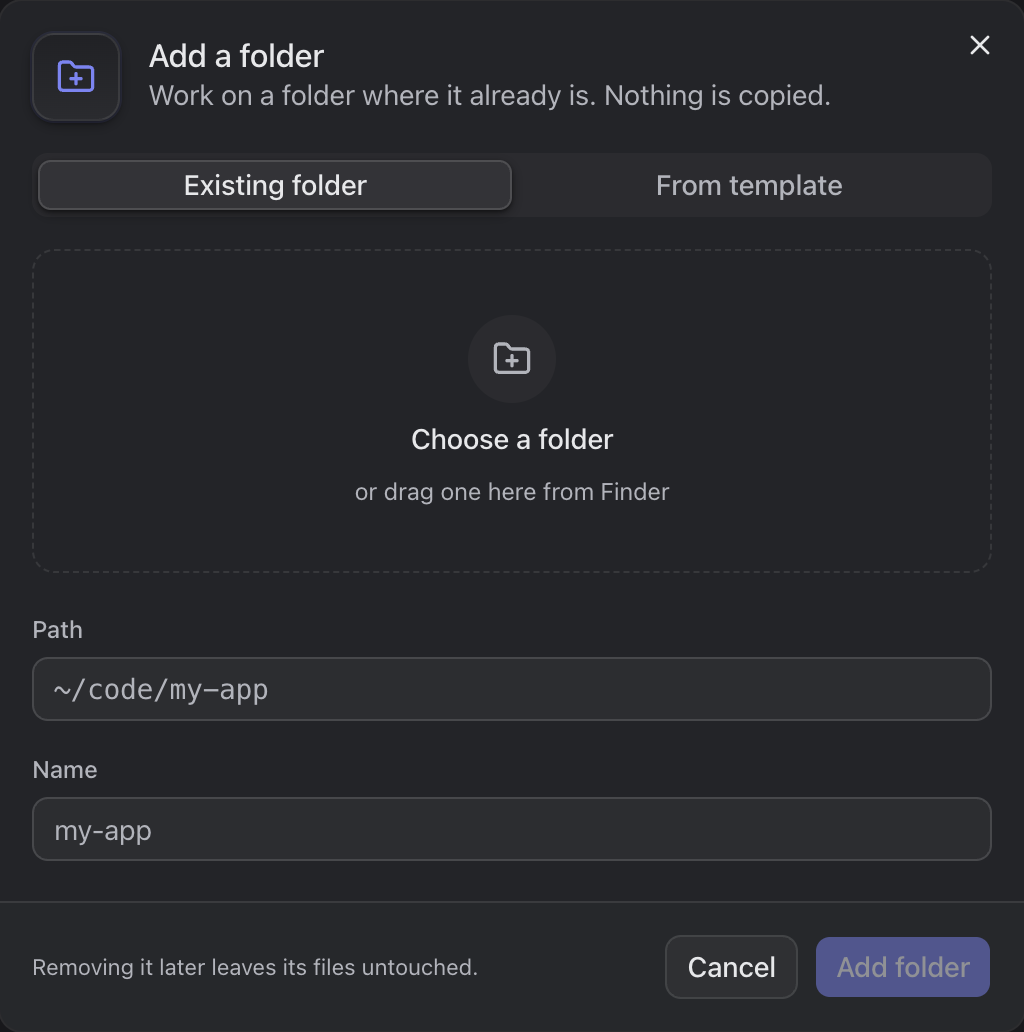
Add a project. Click + beside Projects, choose a folder (or drag one in from Finder) and click Add folder. A project is a folder already on your machine: Vey Studio works on it where it is, and never copies it. From template starts a new project instead.
Add a Claude account in Settings › Claude › Add account — see Claude accounts.
Press
+on the project's row to open a chat, and type. See Chats for everything the composer can do.
Updating
When a new release is out, a button appears in the status bar. Click it and the app downloads and installs the update itself. On Linux it links to the release page instead.